Posts

Showing posts with the label Emulator

Top 5 Free Android Emulator for Computer to run Android Games and Apps in Computer

Image
The Most Popular Android Emulator for Computer Top 7 Android Emulator to run Android Games in Computer all Windows version : You may have Android Mobile but for battery problem you not  play Games hardly. So as this matter what should you do ? Then see this post. In this post I am sharing the most popular Android Emulator which will allow you to play Android Games in your Computer Windows Version. No. 5  Android Emulator - Windroy - Ports Android to Microsoft Windows : Windroy Android Emulator Windroy Emulator completely running using Windows Kernel. This software doesn't need any external Virtual box like BlueStacks. It is so easy to use this Emulator to Emulate the Android Apps and Games in your Computer. You just need to be care about that the directory path you install mustn't contain spaces. This Windroy Android Emulator works under Windows / Windows 8 / Windows 8.1 / Windows Vista. You can download it from the official web of the developer from here Windroy Or you can do...

How to Play " Neo Geo " Games in Computer and Laptop with " NeoRAGEx " software

Image
How to Play Neo Geo Games in Computer Playing Tutorial of Neo Geo Games in Computer, Laptop and PC : At first downlaod Neo Geo emulator from here NeoRAAGEx-1987.rar , Then move it to your Specified location where you can find it easily and extract it using 7zip or Winrar or Other Extracting Software, After extracting you will got 10 File and Folder, Then download Neo Geo Rom from here Neo Geo Rom Games , Then copy/move the downloaded Rom to roms directory you got from the NeoRAGEx rar software, Then open NeoRAGEx5.0.exe, Then Set the control from option, Then Click import and  all the rom you keeps in roms folder will be shown, Now select any game you want to play, Then Launch it to play, Now enjoy the Neo Geo Gamesin your Computer. Follow the Image Tutorial to Play Neo Geo Games in Computer, Laptop and PC : Open NeoRAGEx and Select Controls > Player Controls How you want to play ? With keyboard or Joystick, select it, In keyboard setting set it up Setup Joystick Shortcut fighti...

How To Play " Multiple Arcade Machine Emulator ( MAME ) " Games in Computer With " Mame32 " and some Compatible Games List With this Software

Image
" Multiple Arcade Machine Emulator ( MAME ) " How To Play " Multiple Arcade Machine Emulator ( MAME ) " Games in Computer Hello, You may know the best and most wanted MAME games. You wanted to play it in your Computer But Always fail. Today I will Describe you with Picture and YouTube Video here. Here step by step Screenshot to Play  " Multiple Arcade Machine Emulator ( MAME ) " Games in Computer At first you have to Download Mame32 and Extract it Then go to folder you have get from the rar file Now keep any MAME ROM Games to ROM folder you got from Mame32.rar file Now Open Mame32.exe which you got from Mame32.rar file and be ready to setting as your Compatible mode to better play Here you can change the following from option>Interface Option Then again click on Option> Default Game option to Set up Control with your Joystick ( The point is different for each Joystick so try it with different option from here ) If your Setting is Complete you may now...

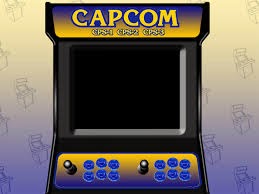
The History of Capcom Play System 1/2/3

Image
Capcom Play System 1/2/3 The History of Capcom Play System Information Collected from Wikipedia : Capcom Play System 1 ( CPS 1 ) Wikipedia information : Manufacturer: Capcom Release date: July 1988 CPU: Motorola 68000 (@ 10 MHz) Display: Raster, 384 � 224 pixels (Horizontal), 4096 colors Input: 8-way joystick, from 3 to 6 buttons The CP System (CP???? shipi shisutemu?) or CPS-1 is an arcade system board developed by Capcom that ran game software stored on removable ROM cartridges. More than two dozen arcade titles were released for CPS-1, before Capcom shifted game development over to its successor, the CPS-2. Capcom's Street Fighter II series is perhaps the best known franchise within the CPS game library. The first three titles in the series, the original title, Champion Edition, and Hyper Fighting edition were all developed on CPS-1 and highly successful. History After a number of arcade game boards designed to run only one game, Capcom embarked upon a project to produ...